Create a New MVD Specification Version
Data Scientists can create a new MVD specification version whenever changes are required to an existing MVD. Creating a new specification version preserves previously published versions while allowing schema updates, new business requirements, or modified data quality and anonymization rules to be introduced without affecting existing published Data Assets.
To create a new specification version, follow these steps:
-
On the Minimum Viable Data screen, locate the required MVD.
-
Click View Details corresponding to the MVD.
-
On the MVD Details screen, click +New Specification Version.
-
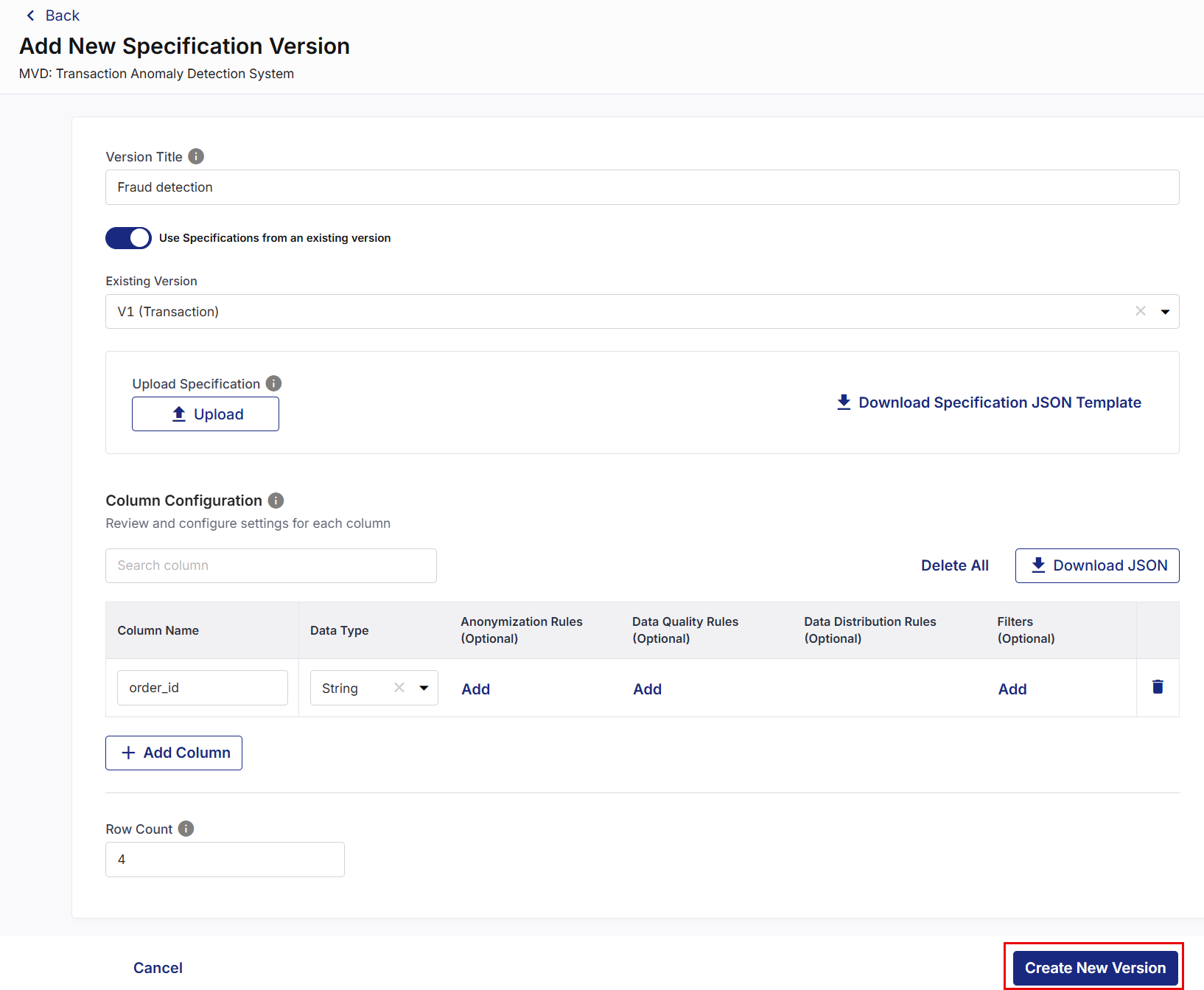
On the Add New Specification Version screen, enter a Version Title for the new specification.
-
Choose one of the following methods:
Create a Specification from Scratch:
-
Leave Use Specifications from an existing version disabled.
-
Create the specification using one of the following methods:
-
Download the JSON template, update it, and upload the modified file.
-
Manually define the specification by selecting + Add Column.
-
-
Configure the required specification details, including:
-
Column names
-
Data types
-
Anonymization rules
-
Data quality rules
-
Filters
-
Row count
-
-
Click Create New Version to save the new MVD specification version.
Create from an Existing Specification
-
Enable Use Specifications from an existing version.
-
Select the specification version that you want to reuse.
-
Review the automatically populated Column Configuration.
-
Modify the specification as required.
-
Click Create New Version to save the new MVD specification version.
-
-
A new specification version is created and added to the MVD.
-
The newly created version:
-
Is assigned the next available version number (for example, v4, v5, and so on).
-
Is created in Draft state.
-
Can be edited and configured independently of previous versions.
-
Does not affect existing published versions or associated Data Assets.
-
The new version can then be configured, validated, and published following the standard MVD lifecycle.
|
What's next? Compare MVD Versions |
 Recommended Topics